Whitelisting a creator on Meta ads — running your paid content through their handle instead of your brand's — beats standard brand-handle ads on cost, because the trust is already built into the account. On the accounts we run at Predictable Growth, the same creative comes in 20–50% cheaper on CPM and CPC as a Partnership Ad, and it reaches audiences the brand page can't.
Most media buyers still avoid it because they think whitelisting means a clunky handoff of business IDs and shared logins. Meta rebuilt the entire flow. You search a handle — that's it.
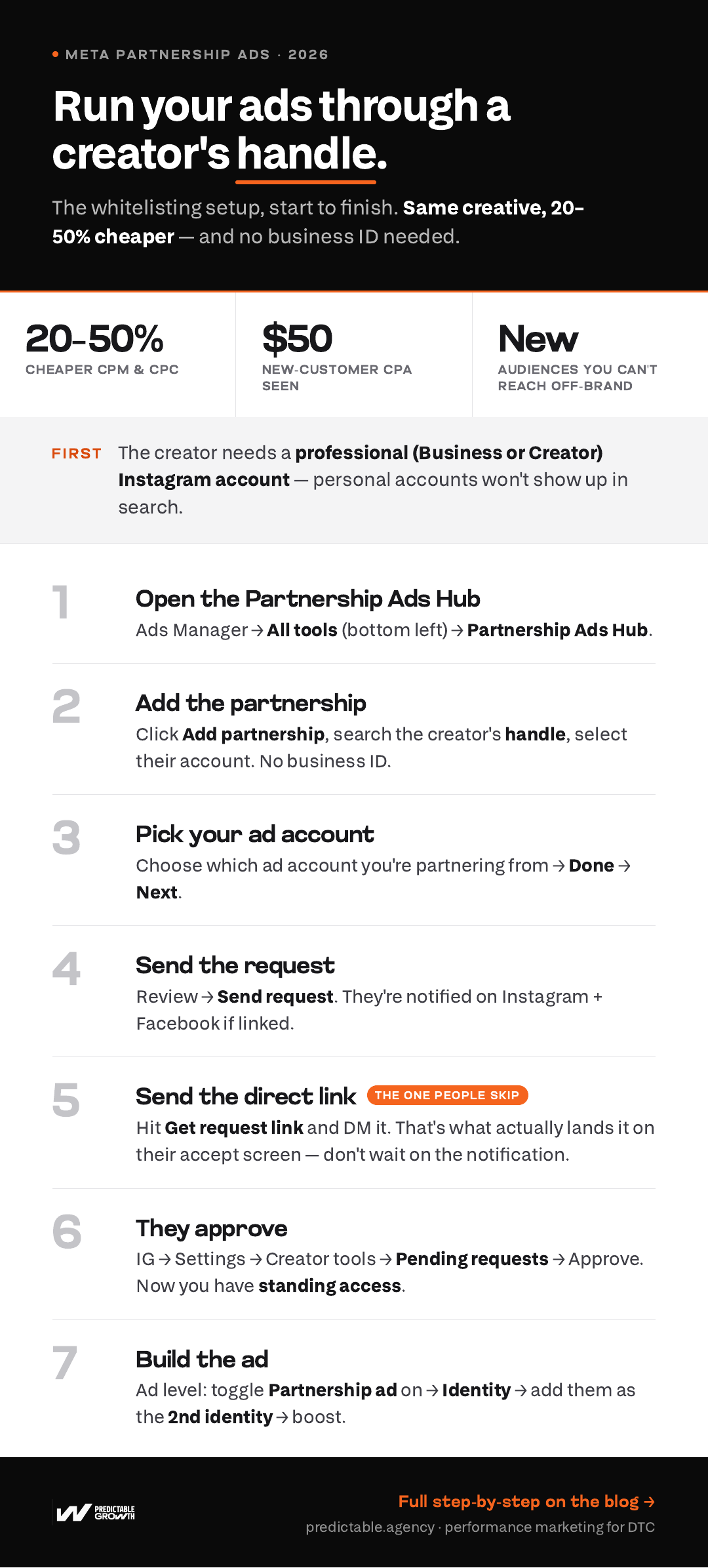
Here's the exact 2026 setup inside Meta's Partnership Ads Hub, start to finish — the whole thing at a glance first, then step by step.
What "whitelisting" a creator actually means now
Whitelisting (Meta's current term: a Partnership Ad) is when a brand runs a paid ad that appears to come from a creator's handle instead of the brand's. You're not getting the keys to their account — you're getting permission to run specific content as a second identity. The creator grants it once; you keep standing access for future ads.
Why it works: the ad shows up as the creator, to an audience that already follows and trusts them. That pre-built trust is what drives the lower CPMs and CPCs — and why partnership ads are one of the biggest paid-social unlocks on Meta right now.
Before you start: the one prerequisite
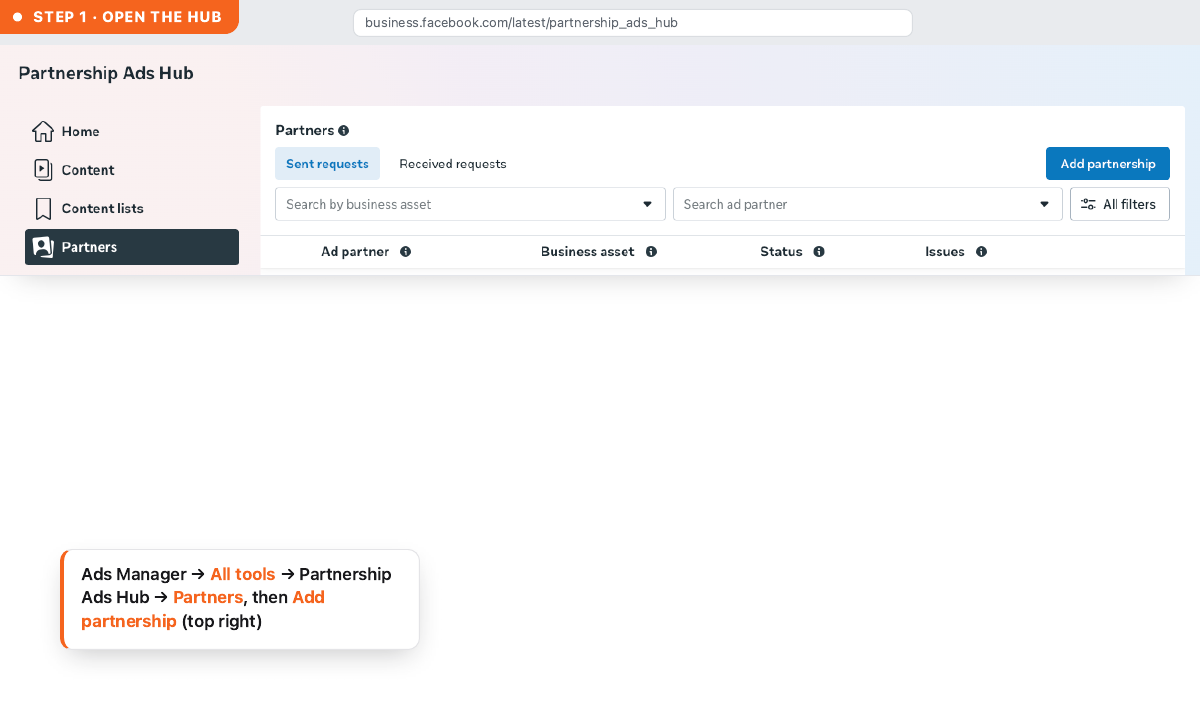
Step 1 — Open the Partnership Ads Hub
In Meta Ads Manager, click "All tools" in the bottom-left menu. Under Advertise, select "Partnership Ads Hub." This is the home for every creator partnership on the ad account.
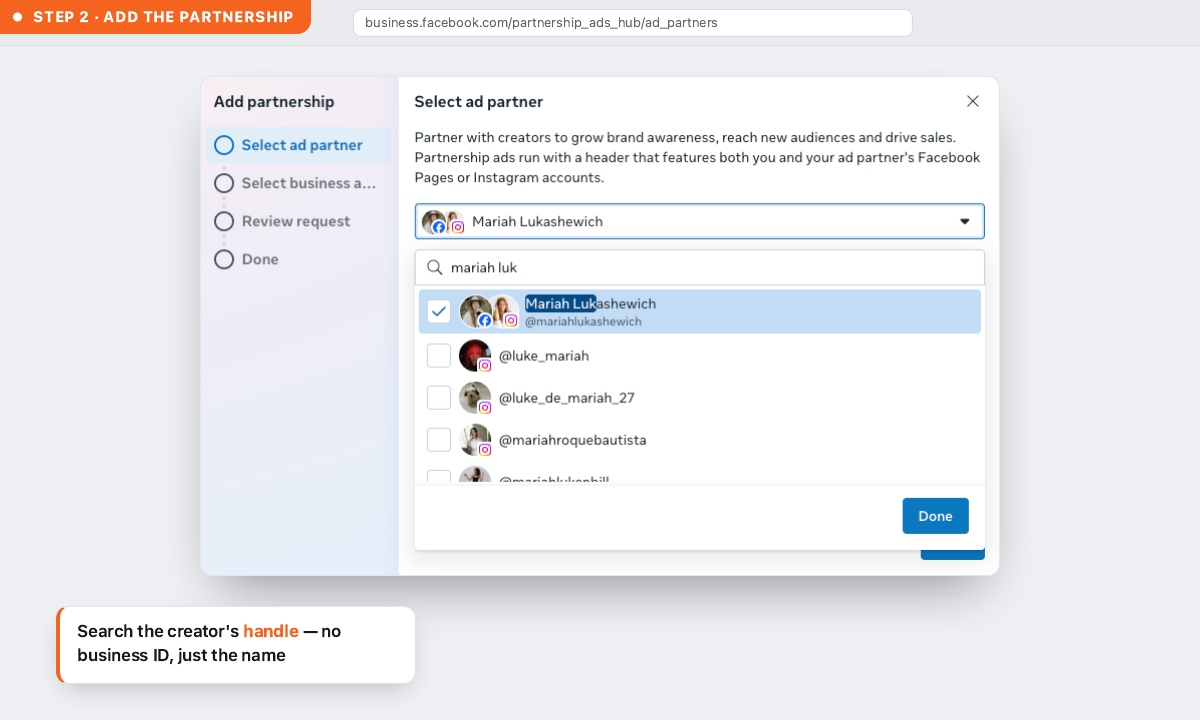
Step 2 — Add the partnership
Click "Add partnership" (top right). Search the creator's handle, and select their account when it appears. No business ID, no shared login — the handle is all you need now.
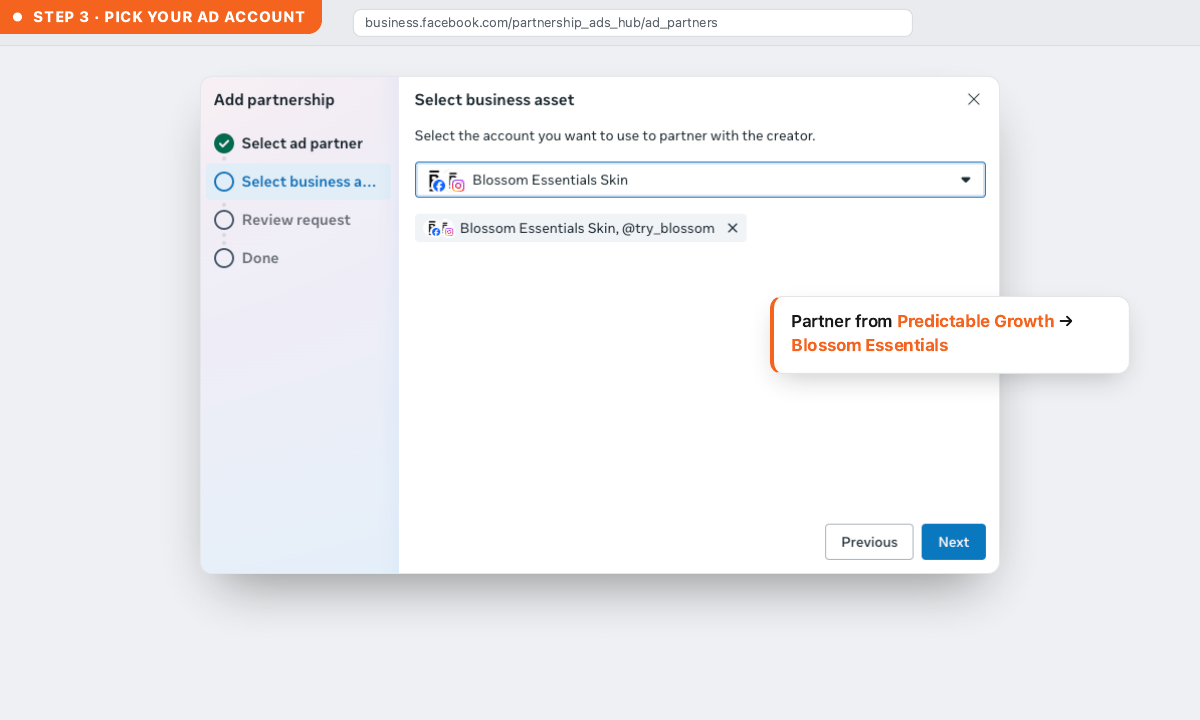
Step 3 — Pick your ad account
Choose which ad account or Business Manager you're partnering from. Click Done, then Next.
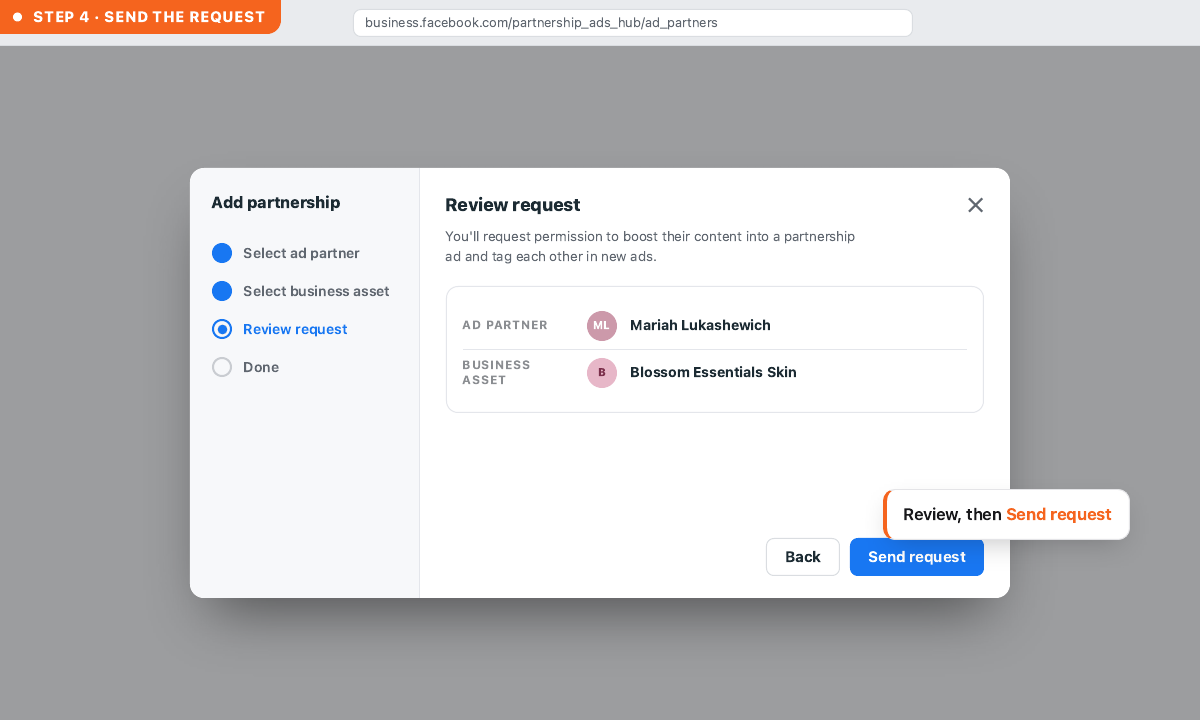
Step 4 — Send the request
Review the request and click "Send request." The creator is notified on both Instagram and Facebook if their accounts are linked.
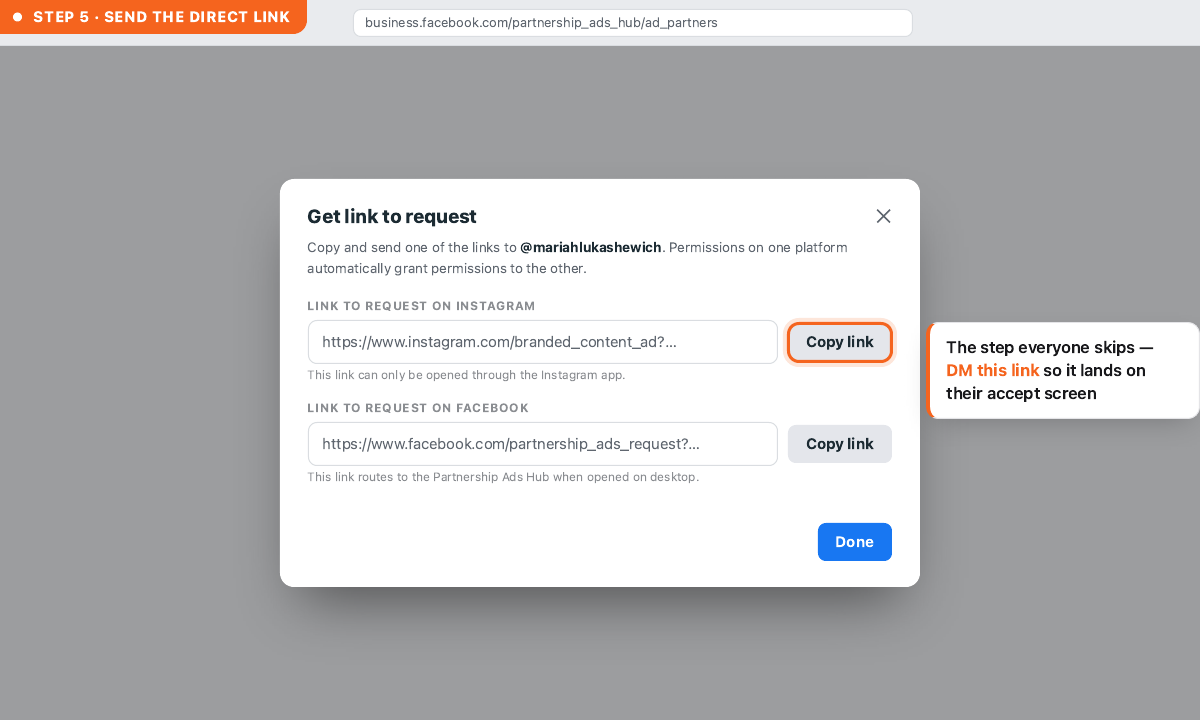
Step 5 — Send a direct link (what actually gets the request seen)
Don't rely on the in-app notification — creators miss it for days, and the request just sits there. Click "Get request link" next to the pending request and DM it to them directly. It drops them straight onto the accept screen inside Instagram — one tap. This is the single step that turns a stalled request into an approved one.
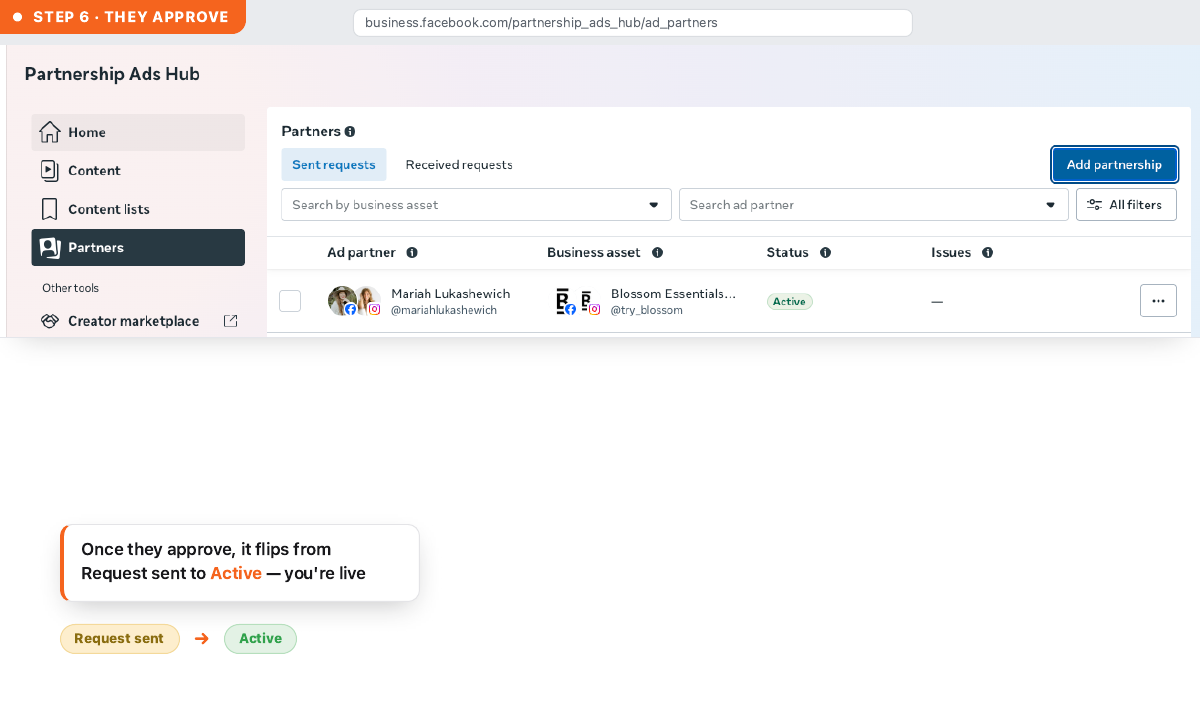
Step 6 — The creator accepts
In Instagram, the creator goes to Settings → Creator/Business tools → Pending partnership requests → Approve. Once accepted, you have standing, account-level access — you won't re-request for future ads with them.
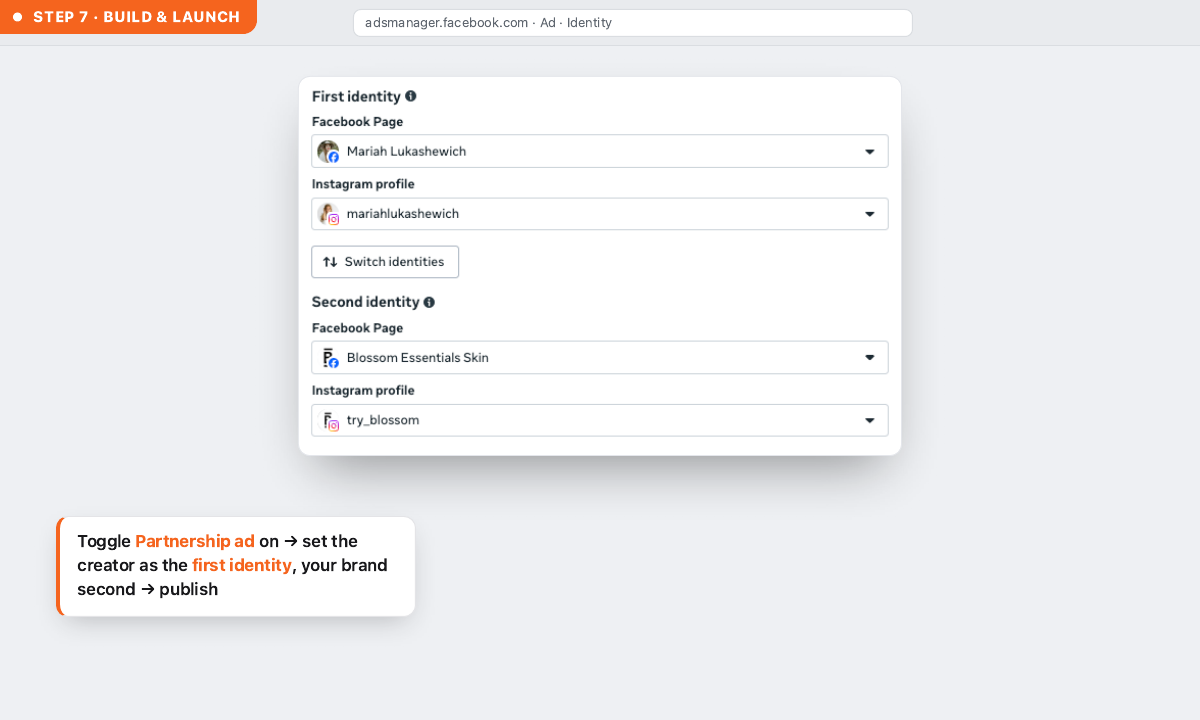
Step 7 — Build & launch the Partnership Ad
At the ad level, toggle "Partnership ad" on. Go to Identity, and set the creator as the first identity — that's what makes the ad run from their handle — with your brand as the second. Publish as normal.
Why it's worth the ten minutes
Set it up once per creator. Access is standing after that — you're not repeating this for every new ad.
Frequently asked questions
Do I need the creator's business ID to whitelist them?
No. As of 2026, Meta's Partnership Ads Hub lets you search a creator by handle. Business IDs and shared logins are no longer part of the flow.
What's the difference between a Partnership Ad and whitelisting?
They're now the same thing in practice. "Whitelisting" is the older term for what Meta now runs through the Partnership Ads format — a paid ad shown from the creator's handle, with permission granted once.
Does the creator need a specific account type?
Yes — a professional Instagram account (Business or Creator). Personal accounts won't appear in the Partnership Ads Hub search.
How long does the access last?
It's standing. Once the creator approves the partnership, you have account-level access for future ads without re-requesting each time.
Why are Partnership Ads cheaper than regular ads?
The ad runs from a handle the audience already follows and trusts, and reaches the creator's network. That pre-built trust typically lowers CPM and CPC — we see 20–50% on the accounts we run.
Running paid media through the right identity is the kind of edge we build into every account we manage.
Work With Us